Hear the tempo · Tap tempo · Song directory
BPM detector: find the tempo of a song
How fast is this song? Setronome, a metronome app for iPhone and iPad, works as a BPM detector in three ways: it hears the tempo through the microphone, you tap it in on the TAP field, or you look it up in the song directory. Each way lets you find the tempo of a song in beats per minute and hands it straight to the metronome, one step away from a song in your setlist.
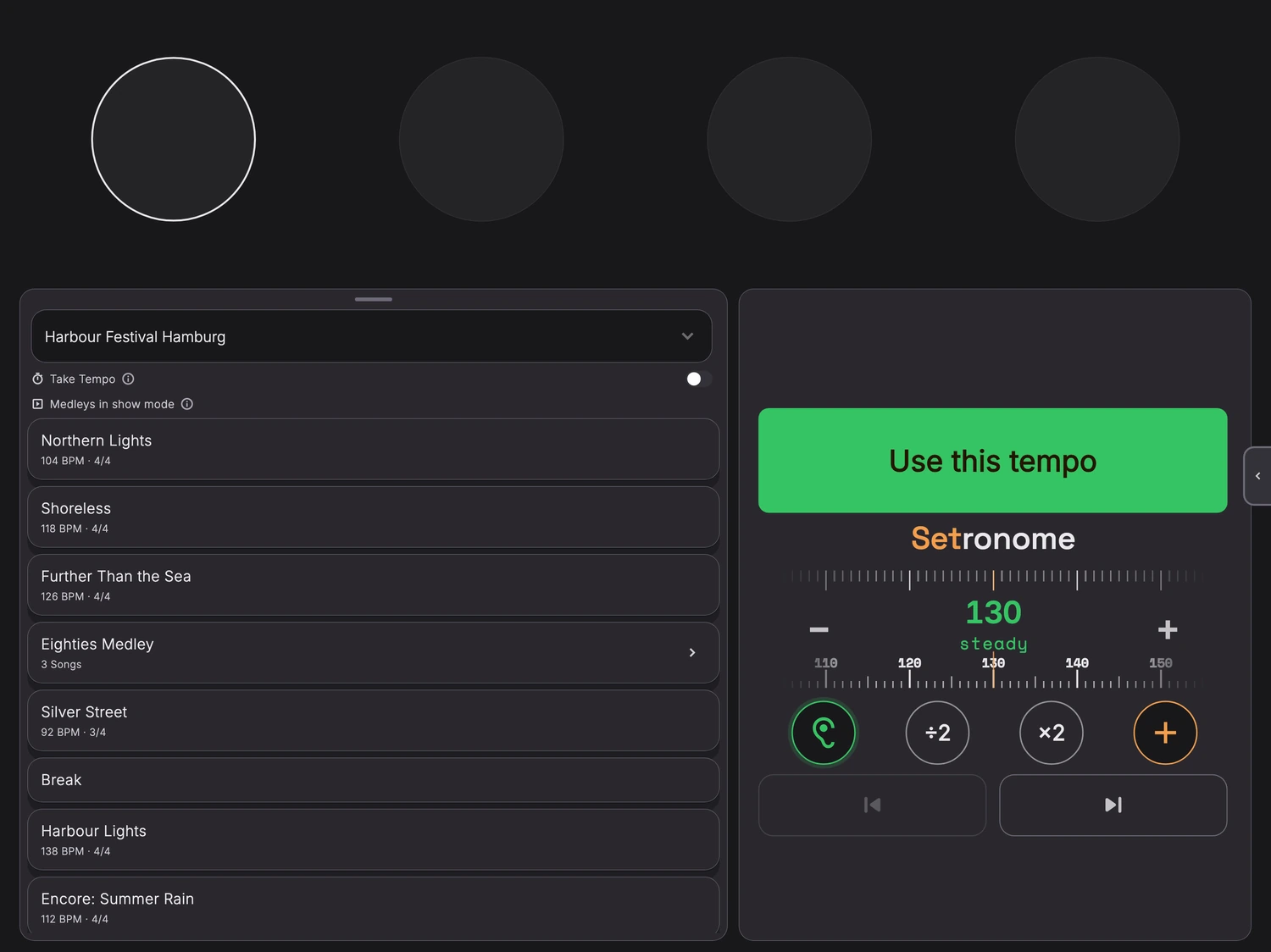
Tempo detector: hear the BPM through the microphone
The ear sits on the metronome’s home screen, in the same row as time signature and subdivision. Tap it and Setronome starts listening: a beats per minute detector that works wherever music is playing. Hold your iPhone or iPad towards the music: the speaker in the rehearsal room, the PA, or the radio in the kitchen. While the microphone listens, the click stays silent so it does not disturb the reading. All the maths happens on the device, with no connection needed.
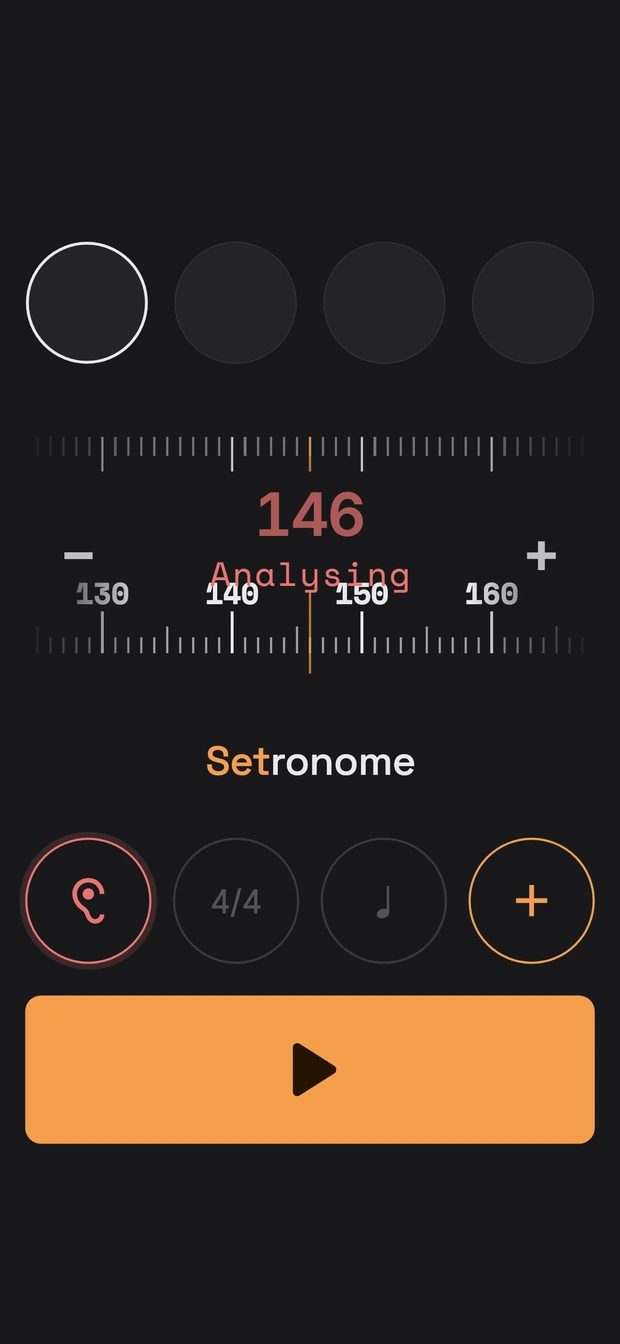
Red, then green: when the number is right
After about one and a half seconds a first number appears in the tempo bar, still red and labelled “Analysing”. It sharpens as Setronome keeps listening. It turns green once the whole number is certain and has held for three seconds, usually after eight to nine seconds. The start button then reads “Use this tempo”, and one tap sets the metronome to exactly that value.
Half or double tempo: the right counting level
Whether a song runs at 76 or at 152 BPM is often a matter of how you count it. Both fit the same music. That is why, as soon as the number turns green, time signature and subdivision make way for two buttons: ÷2 halves the number, ×2 doubles it. Pick the level your band thinks in, then use the tempo. One limit remains: below about 48 BPM the reading is not reliable, not even in green.
When the microphone hears nothing useful
Instead of guessing a wrong number, Setronome tells you what is wrong. “Too quiet” means: get closer to the music. If it stays too quiet for eight seconds, the ear stops by itself. “No sound” appears when nothing at all arrives within three seconds, for example because the microphone is covered or in use by another app. “No tempo” comes after 30 seconds of music without a steady pulse. If there is still no certain number after 15 seconds, the bar shows “Source unclear”. And if the music is playing on the same device, Setronome asks you to turn it up, because it measures what the microphone hears.
Tap tempo: count it in on the TAP field
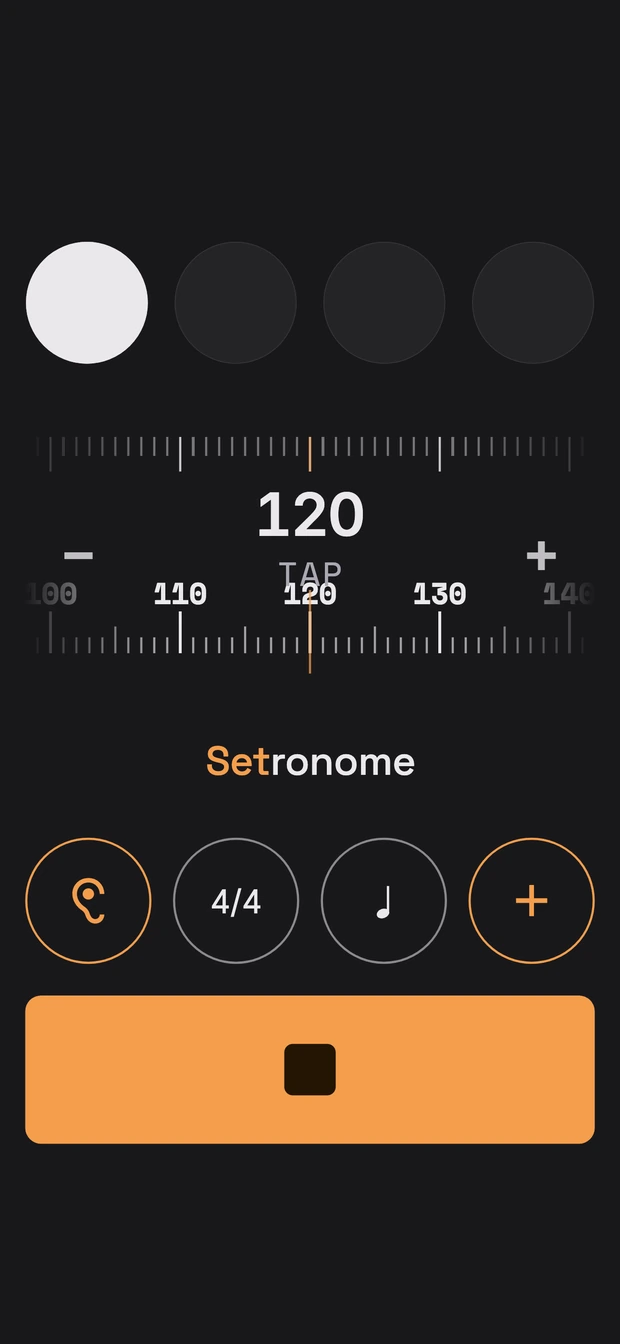
Sometimes tapping along is quicker than any measurement, for instance when the song only plays in your head. Below the number on the tempo ruler it says “TAP”. Tap there at least twice in time, and Setronome works out the BPM, rounded to whole numbers between 20 and 400.
If the click is already running, it switches to the tapped tempo straight away. You hear at once whether it fits, and simply tap again if it does not.
Counting eighths in 5/8, 6/8 and 7/8
In most time signatures you tap quarter notes. In 5/8, 6/8 and 7/8, though, people count eighths, so that is what you tap there. Setronome converts them into the tempo the click works with. The TAP field is on the home screen and in the song editor, for a new song as well as for touching up an old one.
Song tempo finder: look it up in the song directory
For well-known songs nobody needs to measure. The song directory knows 5.3 million songs from 1970 to 2026 with their tempo. You load it once, 145 MB, and it then takes up about 400 MB on the device. From then on the search works without a connection and without any wait, even in a rehearsal room with no signal. If you do not need it, do not load it: everything else in the app works just the same without it.
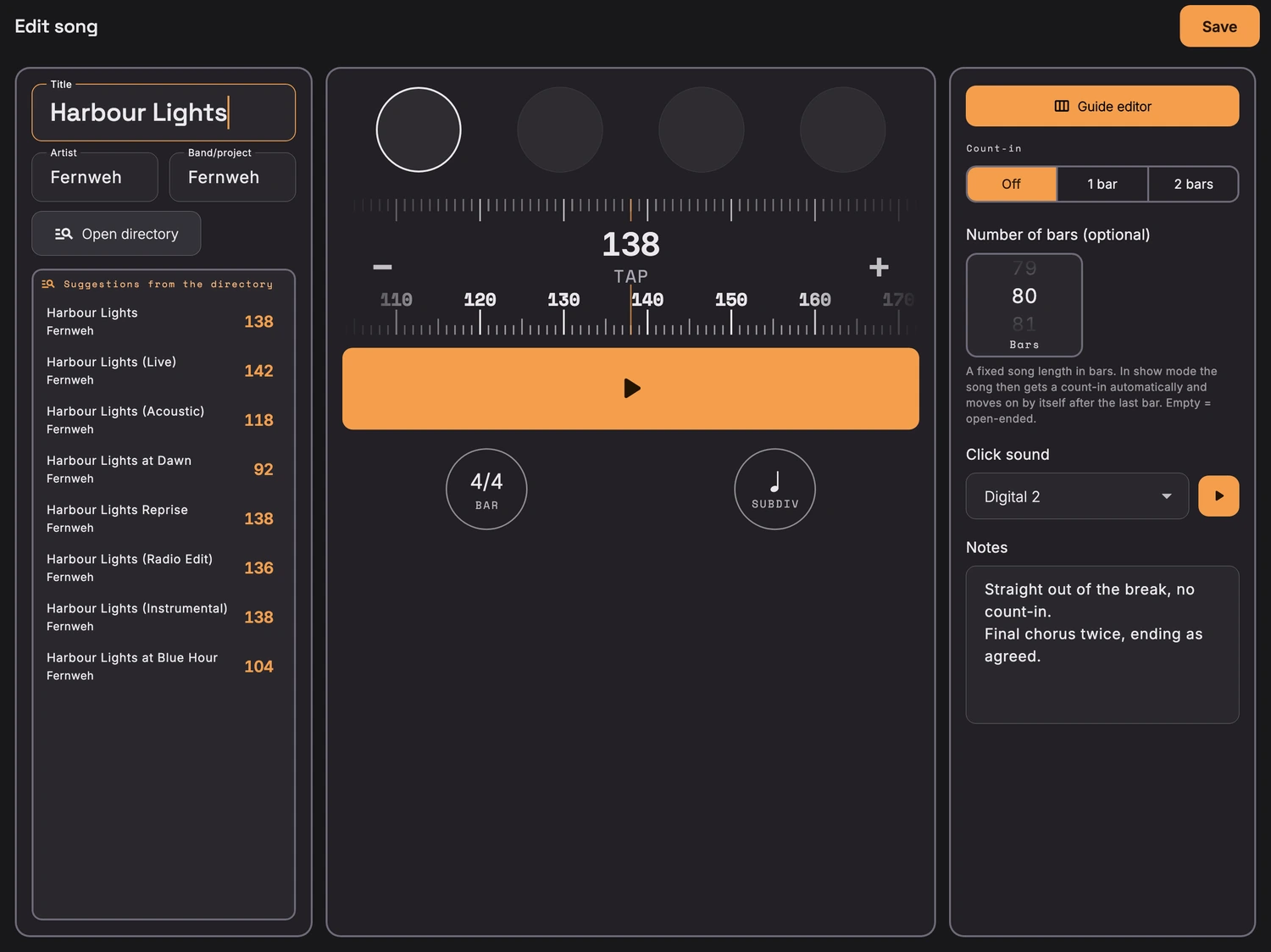
Type a title, take the tempo
In the song editor, three letters of the title are enough. On the iPad the suggestions appear straight away in the list next to the title. On the iPhone you switch the search on with the switch next to the title field; a slim line then says how many songs were found, and a tap opens the list. Tapping a suggestion takes over title, artist and BPM. The directory does not know time signatures: yours stays as it was and is marked as unchecked.
Versions: a remix is not the original
Live versions, remixes and radio edits often run at a different tempo from the original. Such hits are therefore marked as a version, with a reminder to check the tempo. And not every recording is in the directory. If a song is missing, the ear or the TAP field will help, and to check by ear you can start the click right in the editor.
From a detected tempo to a song in your setlist
What the BPM detector found does not belong on a scrap of paper. After “Use this tempo” it sits in the metronome, and the plus button next to it turns it into a song: it only asks for the title. Tempo, time signature, subdivision and sound come from the current settings. “Add” puts the song on the setlist on the home screen; without a setlist it goes into your repertoire. If you want to fill in more right away, such as count-in, number of bars or notes, “Details” opens the full song editor.
On stage the setlist then plays every song in its own tempo, one after the other, in show mode for the stage.
The BPM detector in Setronome at a glance
- Three ways
- The BPM detector via the microphone, tap tempo on the TAP field, or a look into the song directory.
- Hear the tempo
- First number after about 1.5 seconds, certain in green usually after 8 to 9 seconds. Not reliable below about 48 BPM.
- Tap tempo
- From two taps, whole BPM from 20 to 400. In 5/8, 6/8 and 7/8 you tap eighths.
- Song directory
- 5.3 million songs from 1970 to 2026 with their tempo. Load 145 MB once, about 400 MB on the device.
- Offline
- Ear and TAP field always, the directory after the first download.
- Price
- All three ways come with the app. There are no add-ons and no subscription.
- Devices
- iPhone and iPad, iOS 15 or later.
Good to know: questions about finding the tempo
Can Setronome detect the BPM of songs on Spotify or YouTube?
Yes, as long as the music is audible. If another device is playing, just hold your iPhone or iPad next to it. If it plays on the same device, turn the volume up, because Setronome measures what the microphone hears.
Can Setronome analyse an audio file?
Not as a file. Setronome listens through the microphone. So just play the recording, on this device or another one, and tap the ear.
Why does the reading sometimes show double the tempo?
Because both fit the same music: count in eighths and you end up with twice the number. ÷2 and ×2 let you choose the level your band counts in.
Does the click keep playing during the measurement?
No. While the ear listens, the click stays silent so it does not measure itself. After “Use this tempo” or “Stop listening” the metronome is ready again straight away.
More about the metronome app
The BPM detector is only the start. Setronome is a metronome app for the stage: setlists with a tempo for every song, medleys with tempo changes, guide tracks with spoken cues in your ear, and a show mode you can read from three metres away. Carry on here: