Metronome app for iPhone and iPad
A metronome app
that gets you through a whole show.
Not a practice metronome with a tempo dial, but a metronome app for the stage: Setronome knows your setlist, moves from song to song on its own, counts you in and calls out the sections. Foot-operated, readable under any stage light. It gets you from the first count-in to the encore.

The home screen
Tempo, one gesture away: BPM, time signature, subdivision
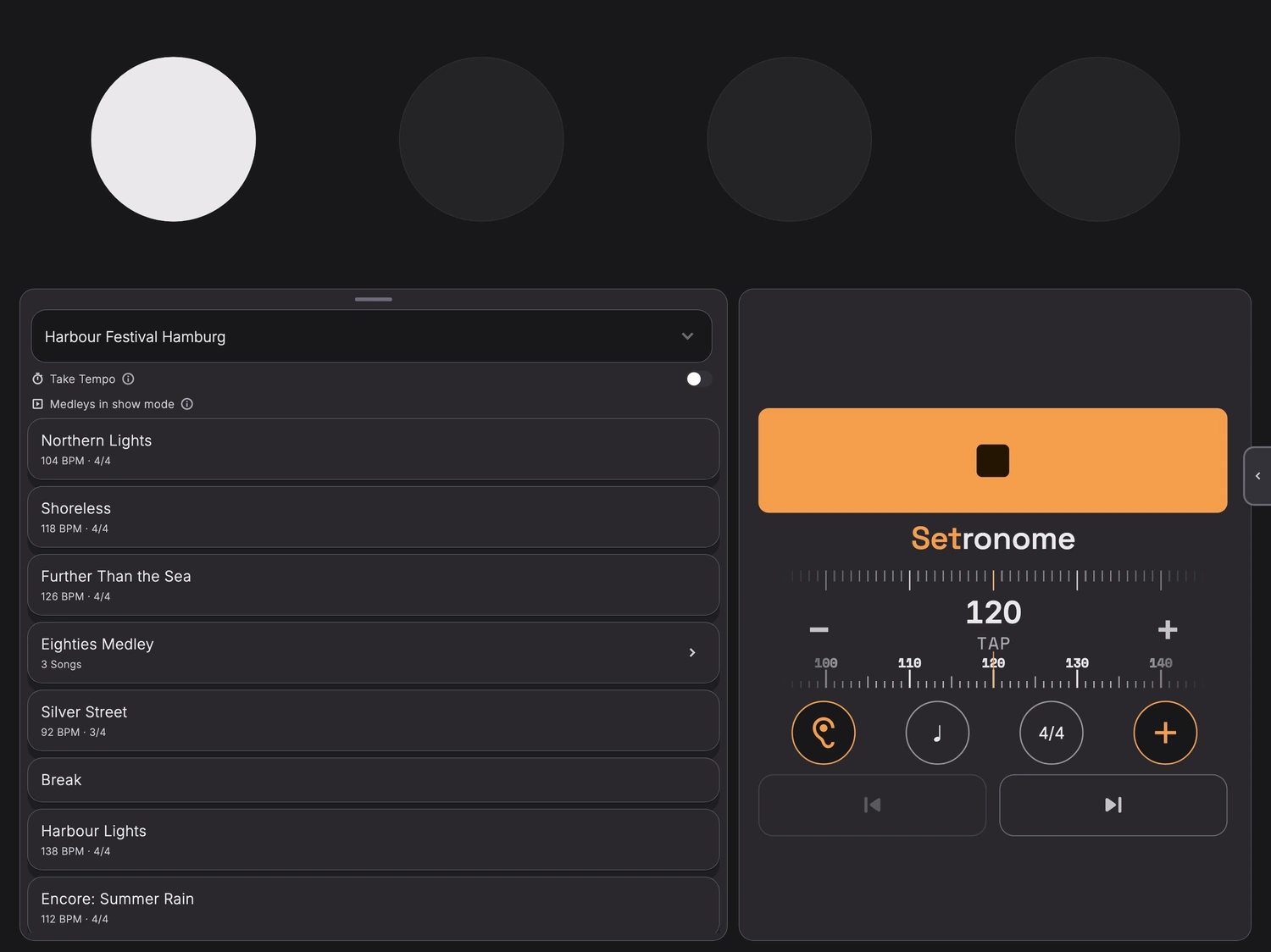
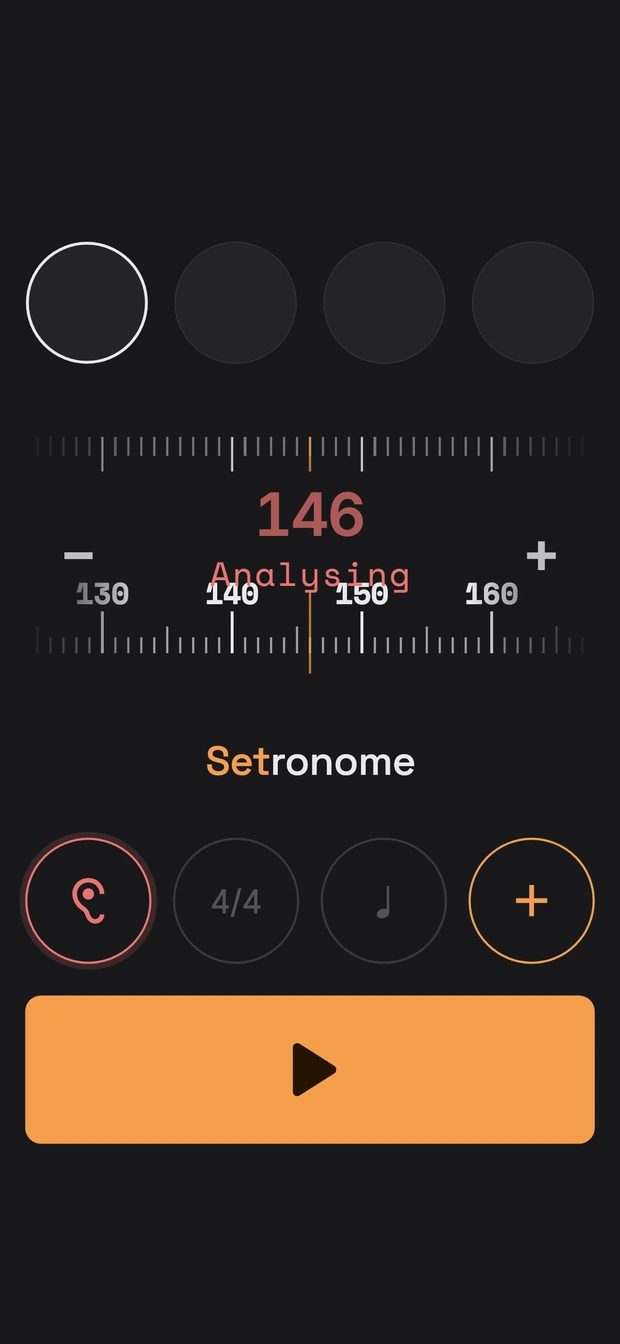
What you reach for most sits on the first screen: the tempo on its ruler, the time signature, the subdivision, and the ear that listens. Next to it stands tonight's setlist, ready to go.
The ruler, not the wheel
Tempo slides rather than turns: a swipe along the ruler for the rough area, plus and minus for a single beat, and if you would rather count it in, tap it into the TAP field. The wide bar above starts and stops, big enough for a thumb in half darkness. Time signature, subdivision and the ear sit as buttons below, and the LED row at the top shows the beat from three metres away.
Show mode and setlist
When the lights come up: show mode for the stage
A screen you can still read from ten feet away, controls that work with your foot too, and a click that goes cleanly into your in-ears: a metronome for drummers and for the whole band. Built for:
- gigging bands that play the whole night to a click track
- drummers who move the setlist on from behind the kit
- musical theatre and pit orchestras, where every night has to run the same
Setronome grew out of working with the band GOODBEATS. What the metronome app does comes from their nights on stage.

The setlist runs with you, song by song
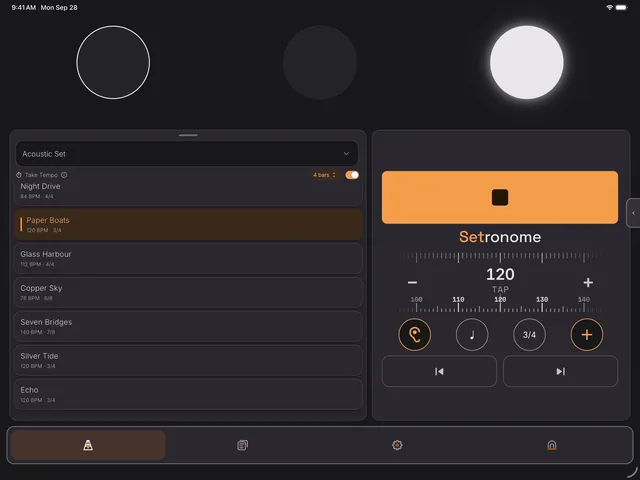
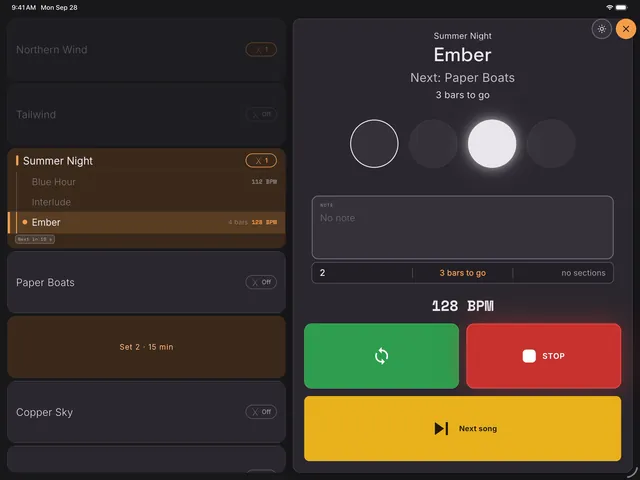
The current song is shown large, with the next one below it. Move on with a swipe, with a Bluetooth footswitch or, once a song has its bar count, automatically at the end. The position bar shows which bar you are in and counts down the last eight before the change.
Tempo changes that never stumble
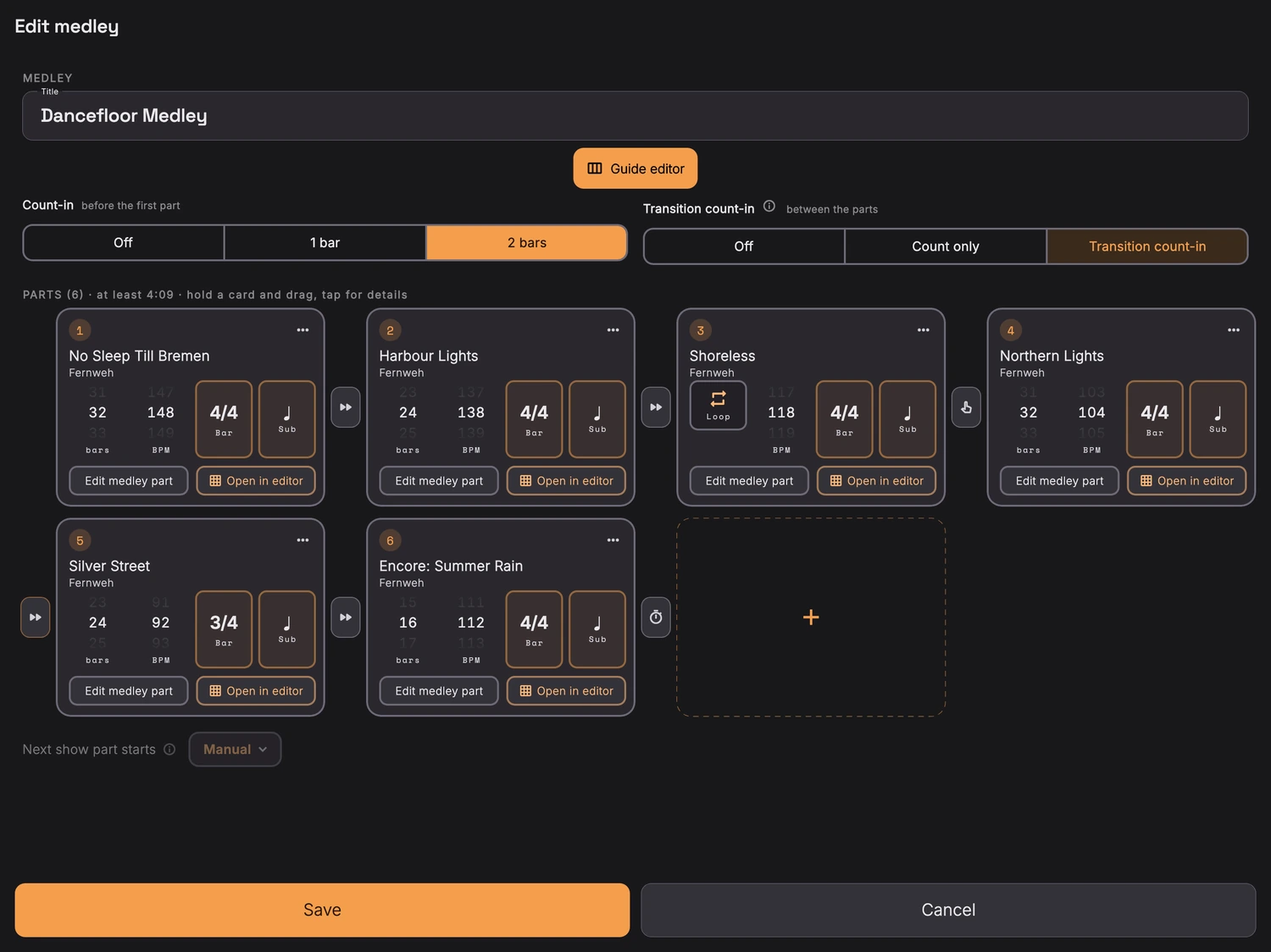
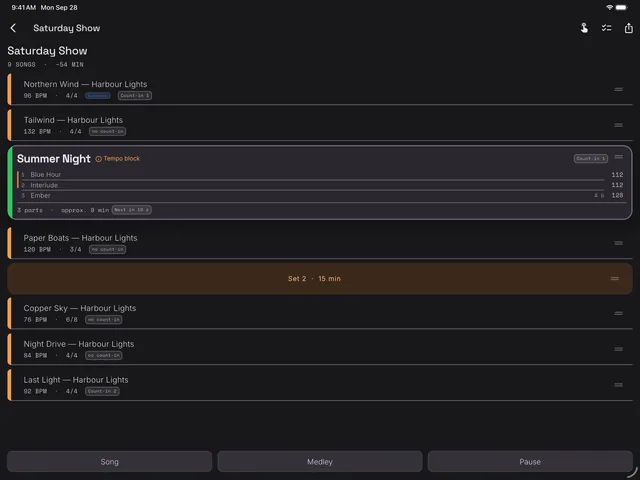
Several parts, each with its own tempo and its own time signature, run straight into one another. The transition is sample-accurate, and you choose whether it comes with a cue, with a count-in or with nothing at all.
Hearing the tempo: the ear on the home screen
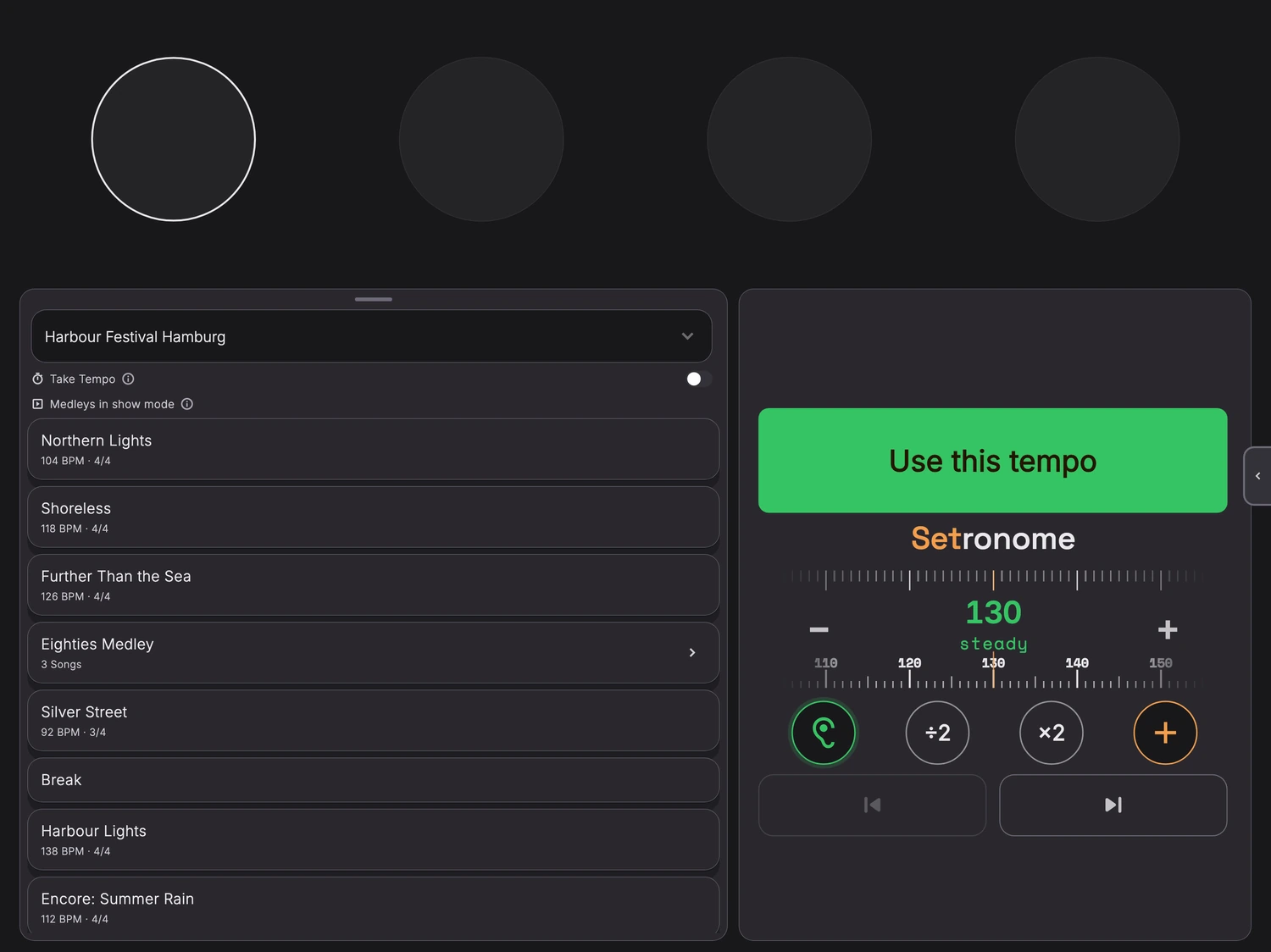
Hold the device up to the music and Setronome works out the tempo. A first number appears in red after about a second and a half and sharpens while Setronome listens. It turns green once the whole number is certain, usually after eight to nine seconds. Half tempo and Double tempo then sit right beside it, for songs that are counted in half time or double time. Below about 48 BPM the reading is not dependable, green or not, and the click stops while the microphone listens.
Guide track, songs and setlists
Prepare everything, once: songs, setlists, guide tracks
You put songs, setlists and Guidetracks together at home, with time to think. On stage there is nothing left to do but play.
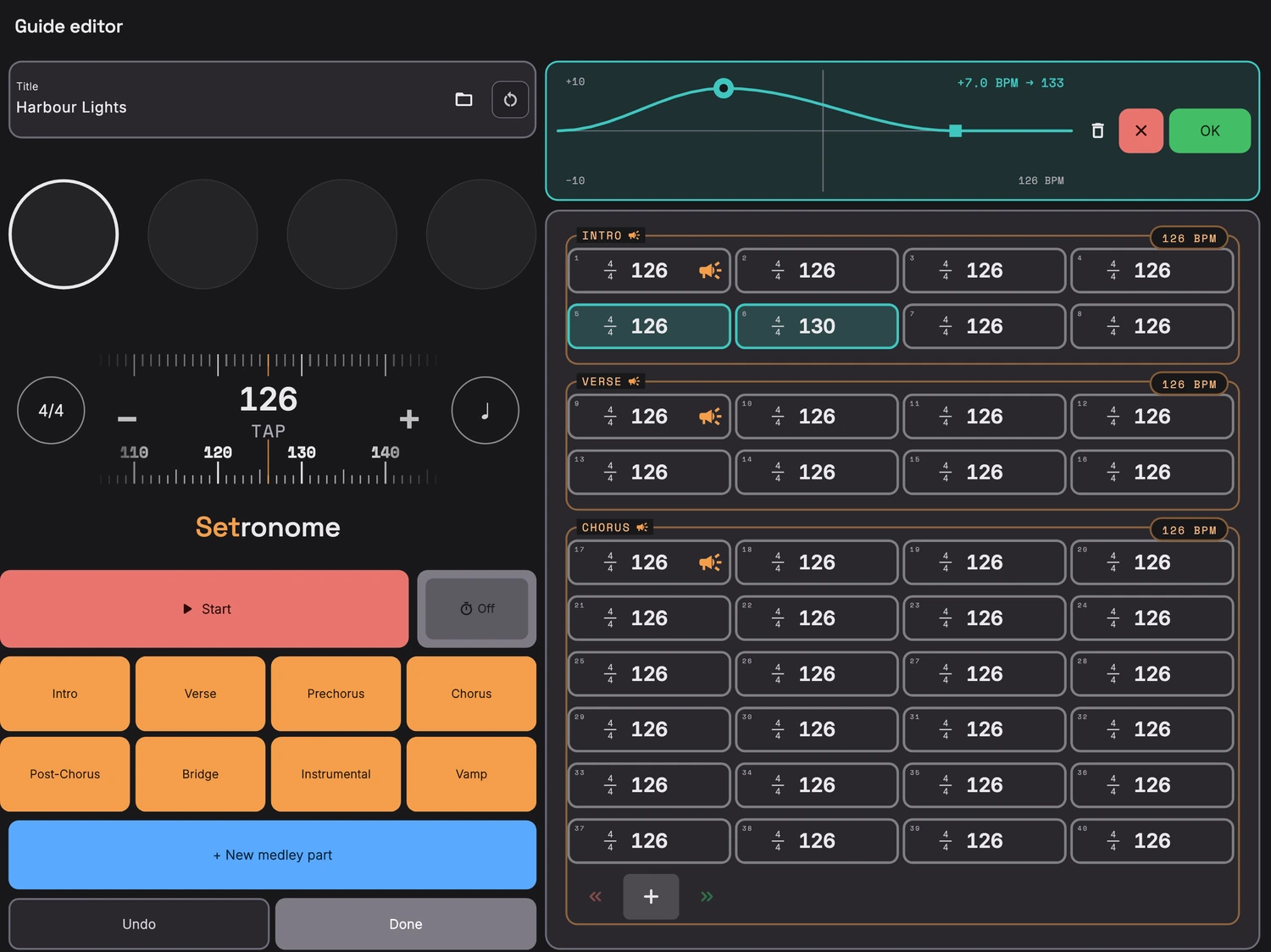
The guide track: the song on one sheet
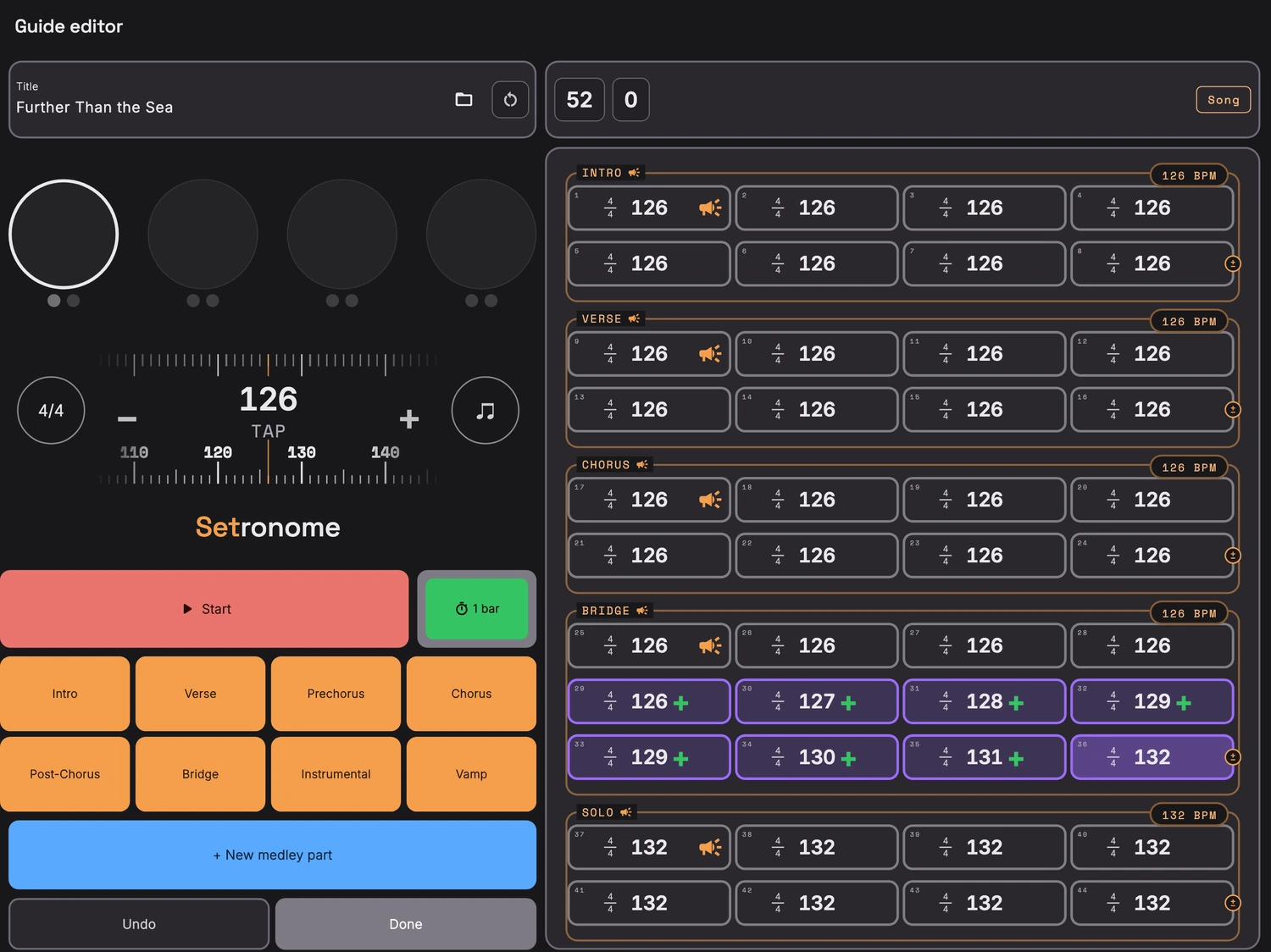
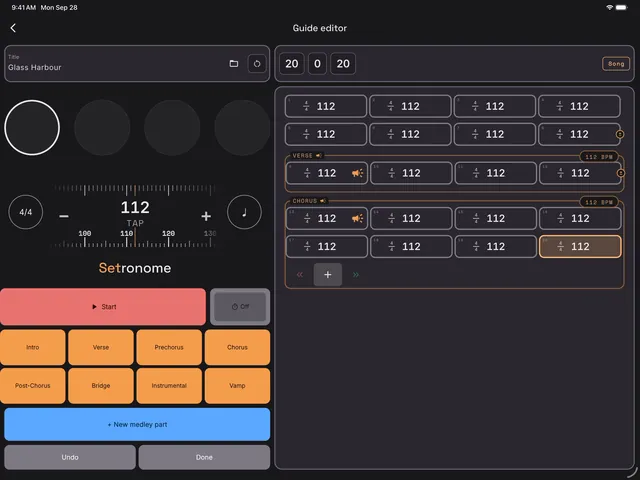
A Guidetrack is what is elsewhere called a guide track or a cue track: a song’s click with its tempo and time signature changes, plus the spoken section cues.
Bar by bar in front of you: mark sections, change time signatures, insert or delete individual bars. If you want, export the whole thing as a WAV, a finished click track for the playback rig.
Tempo ramp: the tempo moves from one value to the next across the bars you mark, beat by beat. For an accelerando that takes the same length of time every night.
Tempo band: for everything that does not run straight. Drag a knob to bend the tempo, hold for a corner. That lets the click breathe the way only a band otherwise can. At any one spot you can have a ramp or a band, not both.
There is no Guide editor on the iPhone. It lays out every bar side by side, with the tempo as one continuous scale, and that needs width on the screen. On a phone you would see two bars instead of a whole section, and that overview is the entire point. Finished Guidetracks play on the iPhone, of course; they are built on the iPad, in landscape.
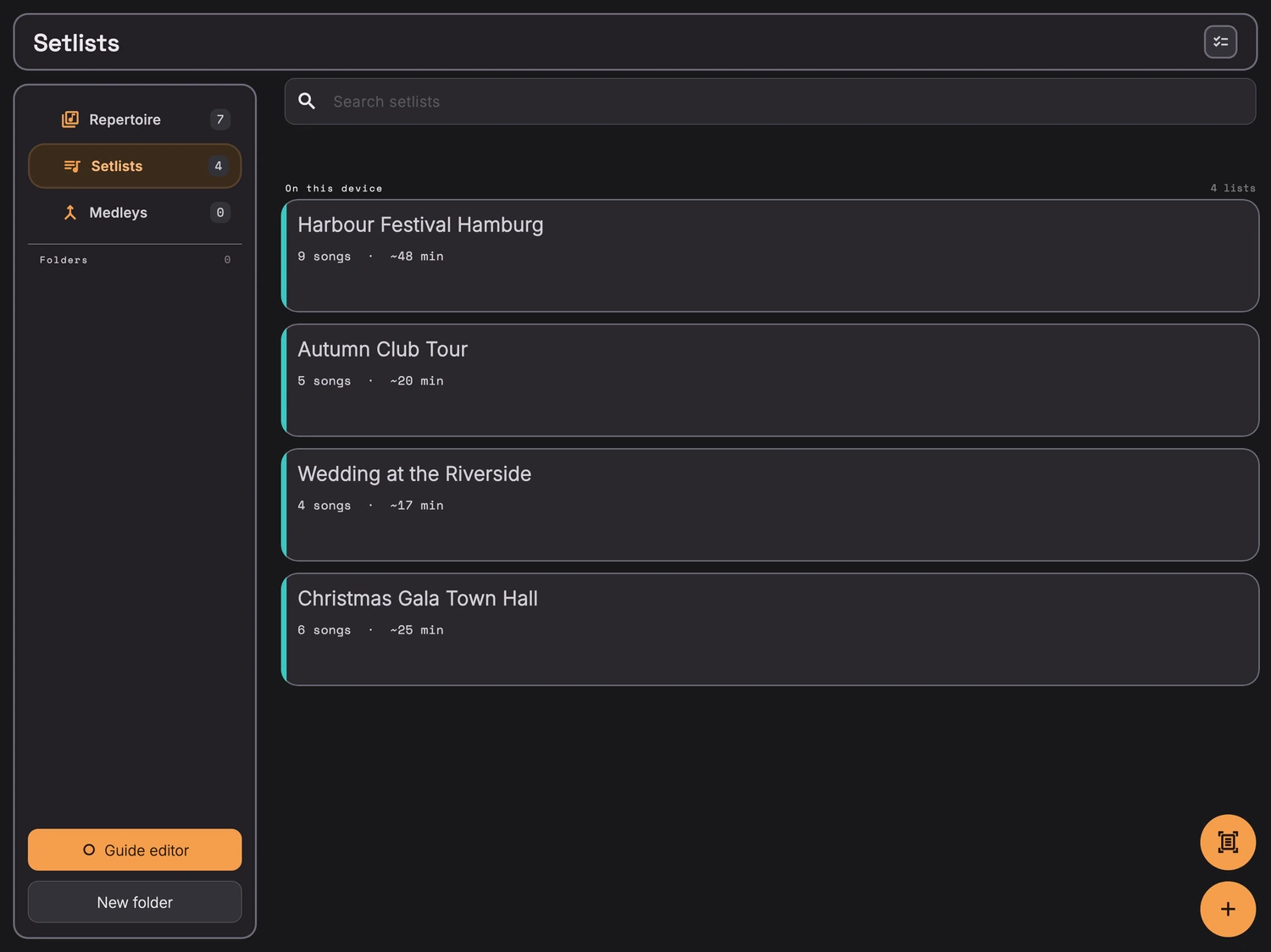
Songs, folders, setlists
One archive for everything: songs with tempo, time signature, accents and notes, sorted into folders and put together into setlists. Setlists can also be scanned in from a photo or a PDF. The same setlist carries you through rehearsal and onto the stage: rehearse to the click, then play the same tempos at night.
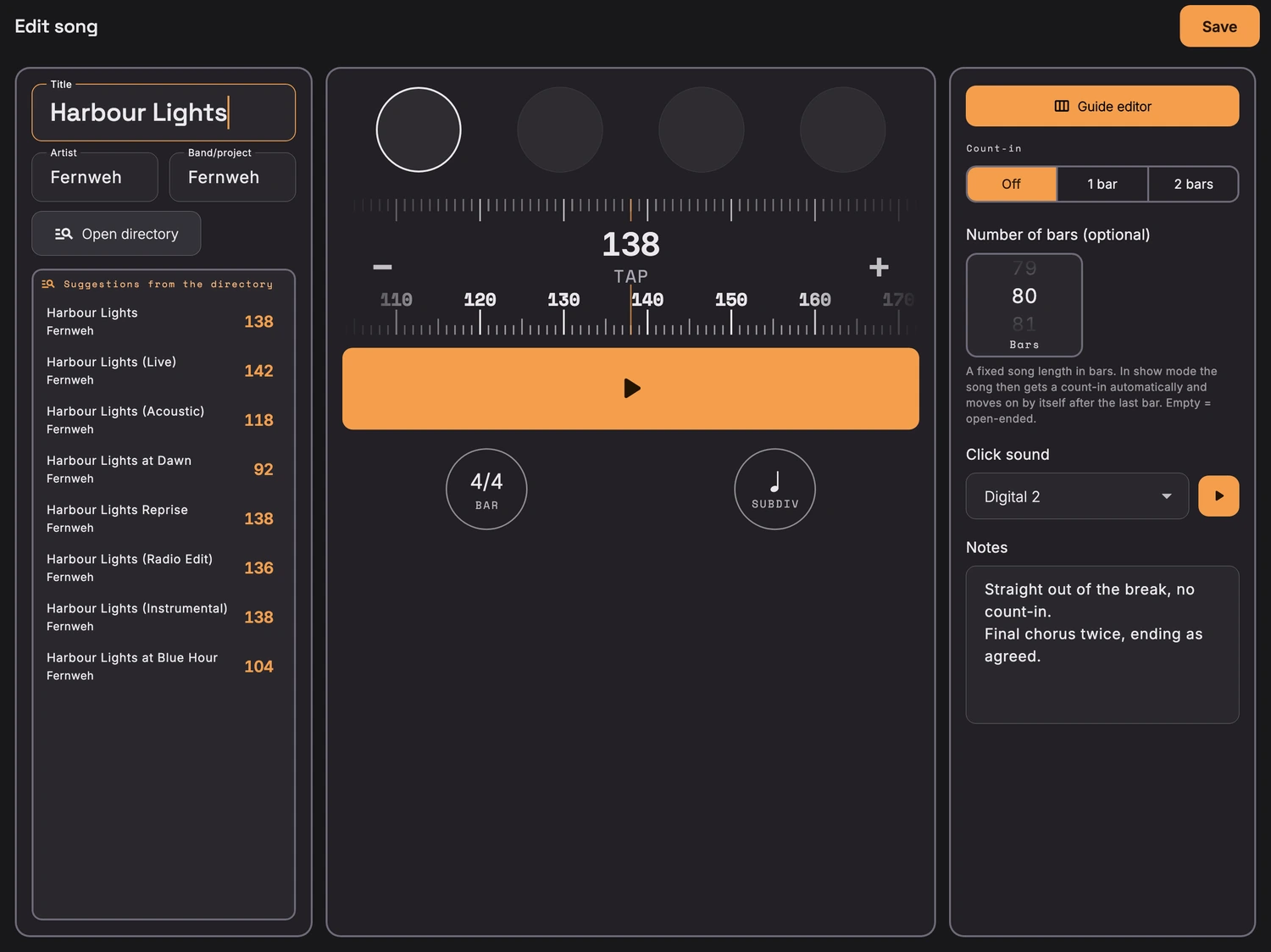
Set it once, right every time
Tempo, time signature, accents, click sound, count-in and notes belong to the song. At the next gig everything is already set the way you played it.
Cues in your ears: the sections
Sections are called out by name while the click keeps running: intro, verse, chorus, bridge, solo and seven more. Plus a count-in with spoken numbers, in 4/4, 3/4, 6/4 and 6/8.
Odd time signatures too
3/4 through 7/4, plus 6/8, 5/8 and 7/8 in their usual groupings, and you pick which beats carry the accent. Changing meter within a song is done bar by bar in the Guide editor, and a medley gives every part its own.
Click and cues on separate channels, for in-ear monitoring
If you like, the channel split puts click and cues on two separate channels, which means two mono feeds at the desk. Then everyone sets their own click and cue levels in their in-ears. Needs a real stereo output.
Bluetooth footswitch
Off-the-shelf Bluetooth pedals, the kind that report as a keyboard, for start, stop, next song and back. A metronome for drummers whose hands stay on the sticks.
Click timing and latency
Why the click stays tight: a sample-accurate audio engine
A metronome app you cannot trust is worthless. So underneath, it runs on its own audio engine instead of a timer: every beat is placed in the audio stream with sample accuracy, 220 milliseconds ahead.
About those figures: the spread is the standard deviation of the beat intervals at 120 BPM, measured over thirty seconds per scenario, idle and under sustained load. 0.05 milliseconds is around three samples and therefore the resolution limit of the measurement itself; nothing finer can be resolved with this method. The runs were done in the simulator, a counter-check on the device itself is still outstanding. The 0.17 samples come from the finished exported file, measured at the end of ten minutes.
To be straight about it: over Bluetooth headphones the delay sits at around 176 milliseconds. That is a property of the wireless link, not of the app. For the stage, then, use a cable or an interface. In the settings, Setronome shows what your own output path reports. More on Bluetooth, cables and footswitches is in the help.
Setronome does not play backing tracks. It generates the click itself, beat by beat, instead of playing back a finished audio file. If you need backing tracks you still need a player. If all you need is the click and the cues, you save yourself a laptop and a folder of files. The finished click comes out as a WAV, in case it does have to go into a DAW or a player after all. The WAV formats are listed in the help.
The metronome app runs on its own, with its own song archive on the device and no account. A connection to the band app Setlio is in the works, so that setlists can later be pulled straight from Setlio. It is not there yet.
Metronome app on the iPhone
Built big, travels small: iPad and iPhone
Setronome is a metronome app made for the iPad. That is where the click has room, where the Guide editor lives, where you take in the shape of a song at a glance. On the iPhone everything that counts on stage runs just the same: setlists, medleys, cues, footswitch, and show mode in landscape.

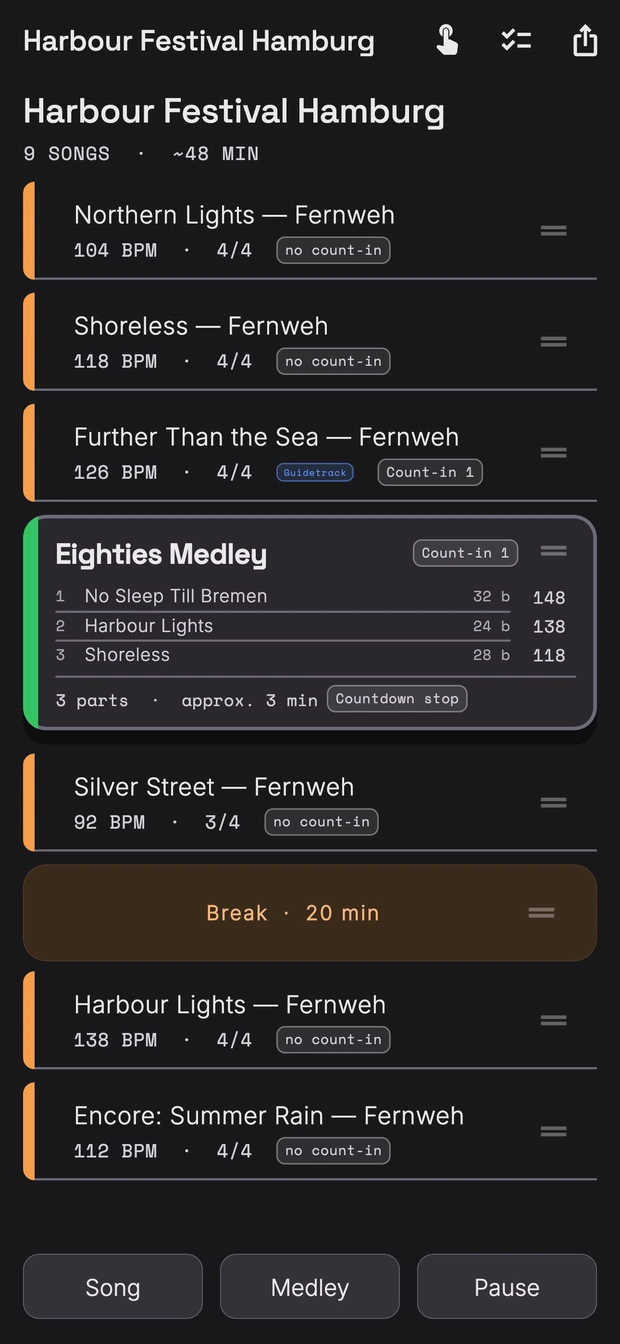
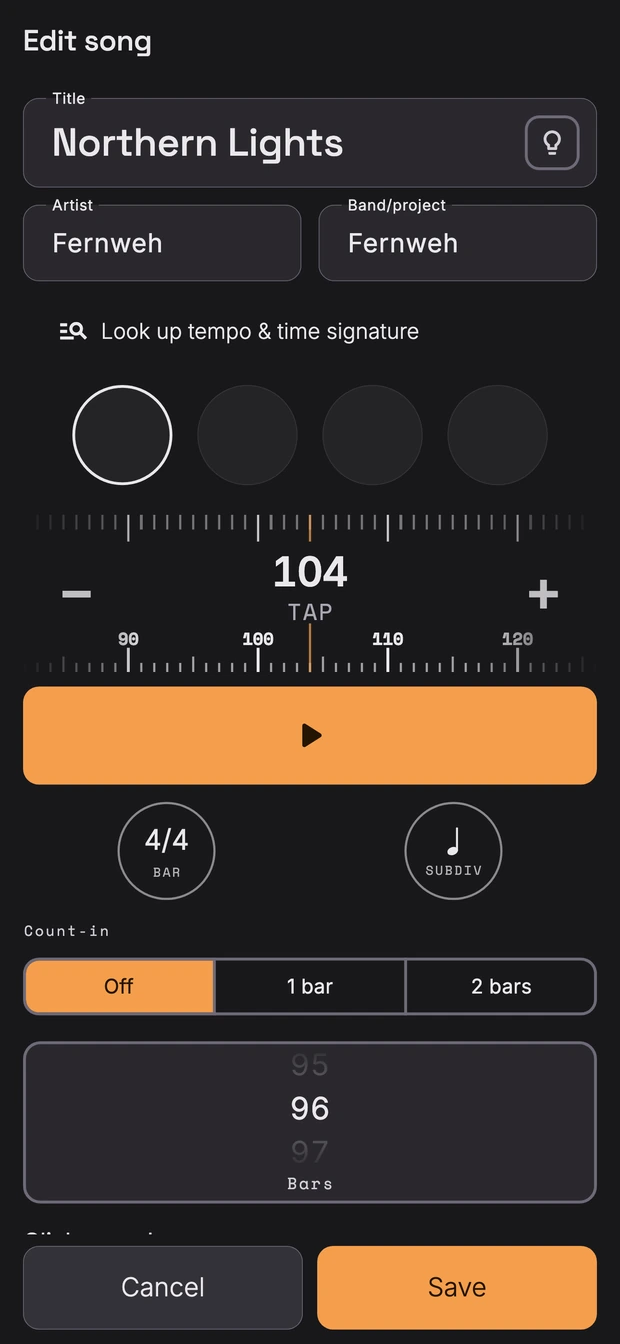
The one thing kept for the iPad is the Guide editor, for the reason given above. Finished guidetracks play on the iPhone as a matter of course. The question comes up often, so it is in the help as well.
Video tutorials
Setronome tutorials: step by step, in four videos
The home screen, the Set tab, the guide editor and show mode, each one shown on the iPad and explained while it happens. Three to five minutes per video.
Try the metronome app
The first time you open the app, example songs and an example set are already there: a metronome app with nothing to create, nothing to set up, no account, and no signal needed.