How it works · On stage · What is different
Metronome app for live music: how it works and what makes Setronome different
A metronome app gives a band one shared beat. This page explains how a metronome app for live music works, what it has to manage on stage, and what makes Setronome different from a metronome built for practice: it knows the whole show, not just one tempo.

How a metronome app works
At its core, every metronome does the same thing: it divides a minute into even beats. The tempo is given in beats per minute, BPM for short. The time signature decides how many beats make a bar, and the first beat of each bar is accented, so you always know where the one is. A subdivision adds quieter clicks between the beats, in eighths, triplets or sixteenths.

Tempo, time signature and subdivision in Setronome
The home screen keeps all of it in one place: a tempo ruler you swipe instead of turning a dial, plus and minus for single beats, a TAP field for tapping the tempo in, and buttons for time signature and subdivision. The LED row along the top shows the beat, and you pick which beats carry the accent.
Time signatures run from 3/4 to 7/4, plus 6/8, 5/8 and 7/8 in their usual groupings. The tempo goes from 20 to 400 BPM.
Why timing is harder than it looks
A metronome sounds simple, but an app has to place every click exactly while the screen redraws, messages arrive and the device does other work. A simple approach fires each click from a timer, and a timer can slip by a few milliseconds when the device is busy. Setronome places every beat directly in the audio stream instead, with sample accuracy and 220 milliseconds ahead. That is the difference between a metronome app you can rehearse with and one you can trust in front of an audience.
What the measurement shows
Measured at 120 BPM over thirty seconds, the beat intervals spread by 0.05 milliseconds, idle and under sustained load alike. That is around three samples and the resolution limit of the measurement itself. The runs were done in the simulator; a check on the device is still outstanding. An exported click track sits 0.17 samples off the grid after ten minutes.
What a metronome app needs on stage
In the rehearsal room one tempo is enough. On stage a band plays twenty songs in a row, each with its own tempo, some with changes in the middle, and nobody has a free hand for a phone between songs. That is the real job of a metronome app at a gig, and the job Setronome was built for.
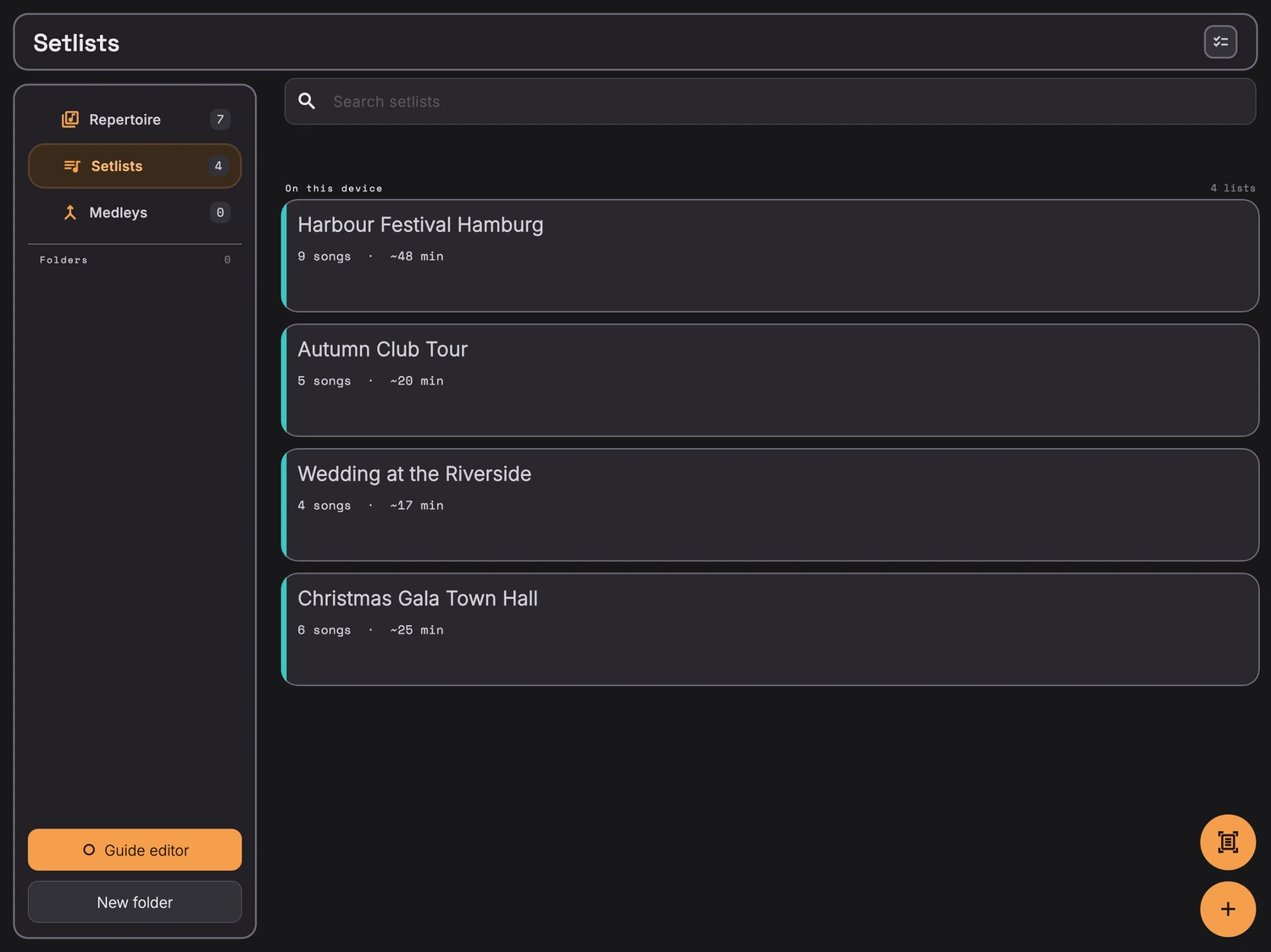
A setlist that carries the tempo
Every song keeps its own tempo, time signature, accents, click sound, count-in and notes. Put songs into a setlist, and show mode plays them one after the other: the current song large, the next one below it. Give a song its bar count and the change happens by itself at the end, while the position bar counts down the last eight bars. Setlists can also be read in from a photo or a PDF.
Medleys with their own tempos
A medley joins several parts, each with its own tempo and time signature. The transition between them is sample-accurate and comes with a spoken cue, a count-in or nothing at all.
Count-ins and spoken cues
Before a song, Setronome counts you in with spoken numbers, one or two bars long, in 4/4, 3/4, 6/4 and 6/8. In other time signatures the click starts right on the one. While the click runs, sections are called out by name: intro, verse, chorus, bridge, solo and seven more.
Click and cues on separate in-ear channels
With the channel split, click and cues go out on two separate channels, two mono feeds at the desk. Everyone then sets their own click and cue levels in their in-ears. This needs a real stereo output. Bluetooth headphones are no good for the click: depending on the device the delay is 100 to 200 milliseconds, and ours measured 176. Use a cable or an interface.
Hands free with a footswitch
Off-the-shelf Bluetooth pedals that report as a keyboard handle start, stop, next song and back. The key assignment is yours, and a key test shows what actually arrives. For a pedal the Bluetooth delay does not matter, it only switches. And the click keeps playing with the screen locked or while you briefly switch to another app.
What makes Setronome different
A practice metronome is built around a single tempo. Setronome is built around the whole show, and that changes a few things.
Made by a drummer, tested on stage
Setronome grew out of working with the band GOODBEATS. What it does comes from their nights on stage, from the first count-in to the encore.
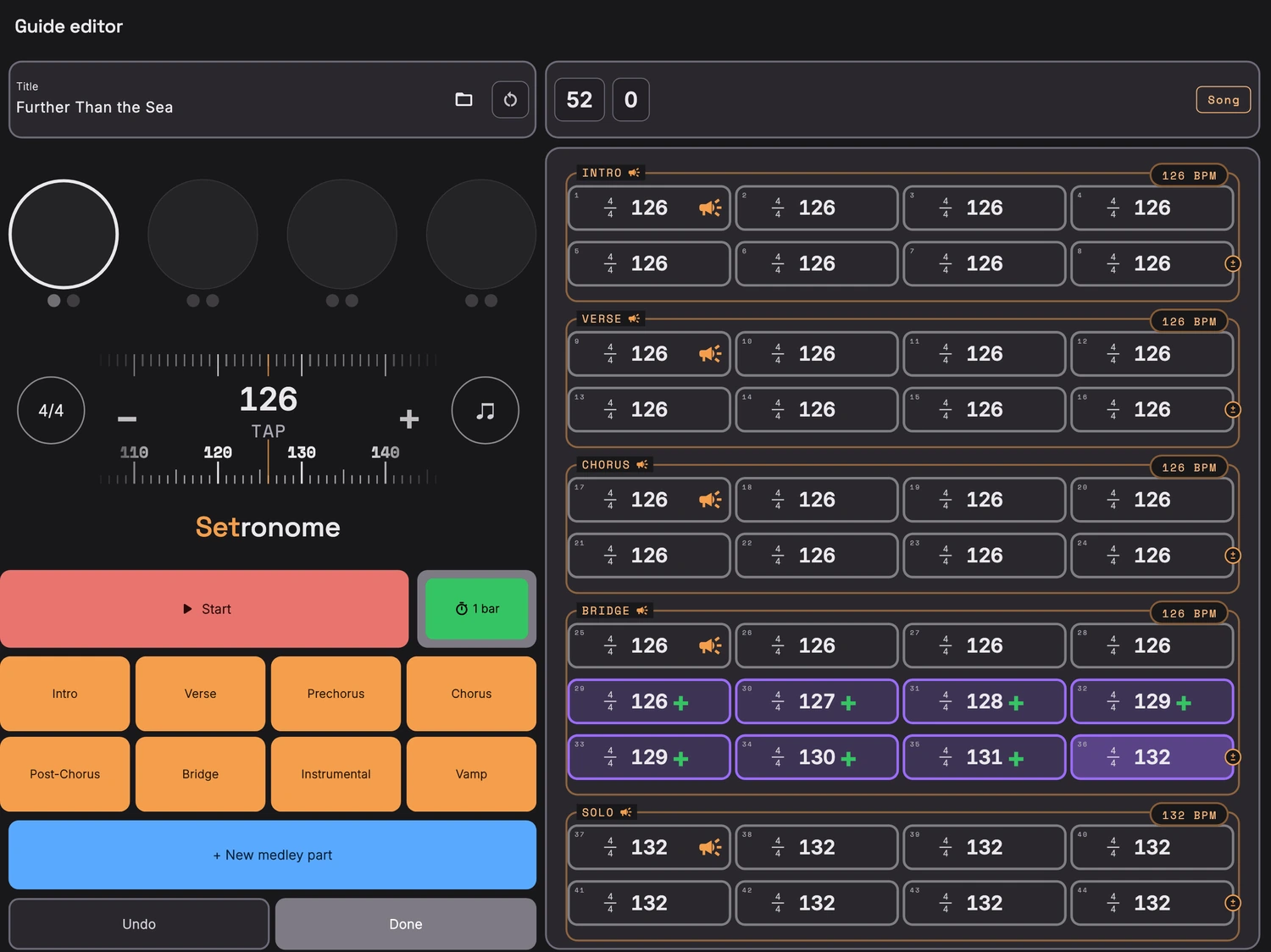
The guide track: a whole song on one sheet
On the iPad, the guide editor lays a song out bar by bar: mark sections, change the time signature, insert or delete single bars. A tempo ramp moves the tempo beat by beat across the bars you mark, and a tempo band lets the click breathe the way a band does. The finished guide track plays on the iPhone too and exports as a WAV file, at 48 kHz with 24 bit or 44.1 kHz with 16 bit.
One purchase, no account, no connection
Setronome runs without an account and without the internet. Songs and setlists stay on the device, and everything is included in the price: no subscription, no add-ons, no ads. Only the optional song directory is downloaded once.
Find the tempo of a song
The ear on the home screen hears the tempo of music that is playing, the TAP field takes a tapped tempo, and the song directory knows 5.3 million songs with their tempo. All three are explained on the page about the BPM detector.
Setronome at a glance
- Built for
- Bands that play the whole night to a click, drummers who move the setlist on from behind the kit, musical theatre and pit orchestras.
- Tempo
- 20 to 400 BPM, subdivision in eighths, triplets or sixteenths, accents per beat.
- Time signatures
- 3/4 to 7/4, plus 6/8, 5/8 and 7/8.
- Count-in
- Spoken, one or two bars, in 4/4, 3/4, 6/4 and 6/8.
- Timing
- Own audio engine, every beat sample-accurate, 220 milliseconds ahead.
- In-ear
- Click and cues on separate channels; cable or interface instead of Bluetooth.
- Devices
- iPhone and iPad, iOS 15 or later. The guide editor is iPad only.
- Price
- One purchase, everything included.
Good to know
Does the click keep running when the screen is off?
Yes. Setronome keeps playing in the background, with the screen locked or while you switch to another app. The click only stops when you stop it.
Can Setronome play backing tracks?
No. It generates the click itself, beat by beat, instead of playing a finished audio file. If the click has to go into a player or a DAW, it comes out as a WAV.
Does it work on the iPhone as well?
Yes: setlists, medleys, cues, footswitch and show mode in landscape. Only the guide editor needs the room of an iPad.
Do I need an account or an internet connection?
Neither. Everything stays on the device. Only the song directory is downloaded once if you want it.
More about Setronome
See the whole show on the home page, watch it step by step in the video tutorials, or read the answers to the most common questions.